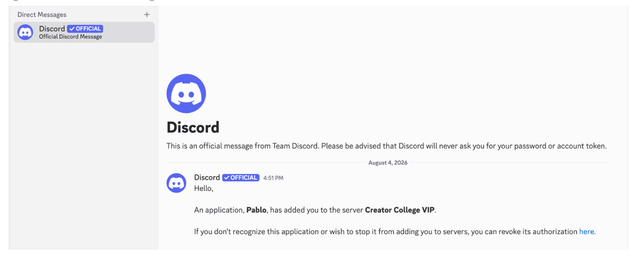
Steps:
- First, create or log into a Discord account - SEE HERE and HERE
- Verify your email
You should definitely keep your discord open in the background while joining Creator College. - Go to https://content.creatorcollege.com → Click Storytelling Challenge Community
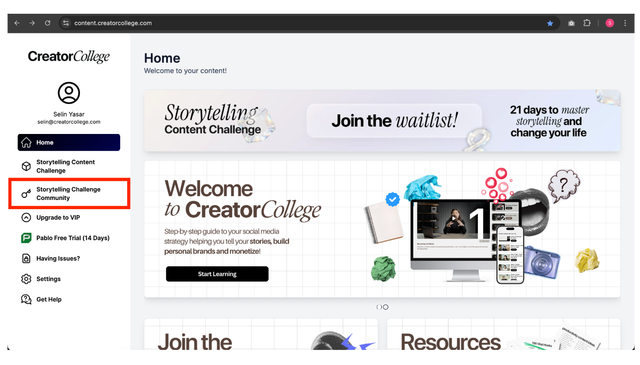
4. Click authorize
5. You are in!
6. Click “Complete”
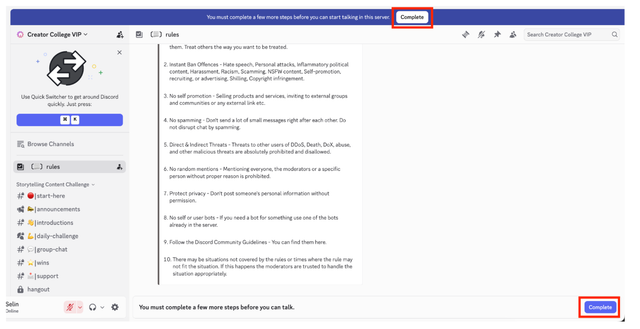
7. Scroll down
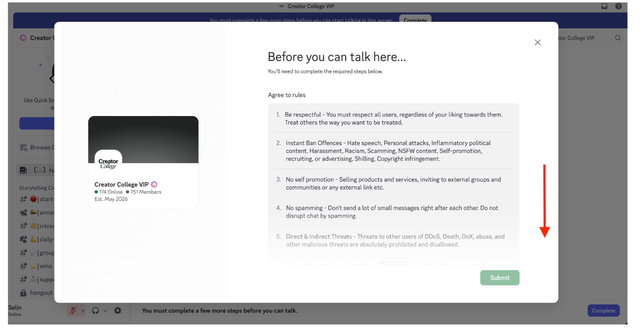
8. Click “I have read and agree to the rules” and click “Submit”
If you already have a discord account - do not create a new one. Directly go to https://content.creatorcollege.com → Click Community
Ignore the message from Discord - Pablo is our own software