
1) How do I join the VIP Discord community?
- Create a Discord account or sign in to your existing account.
How to do it on Desktop
How to do it on Mobile
Creator College Guide Deck - Verify your Discord email
- Keep Discord open
- Go to content.creatorcollege.com
- Click VIP Community.
- Click “Join Community”
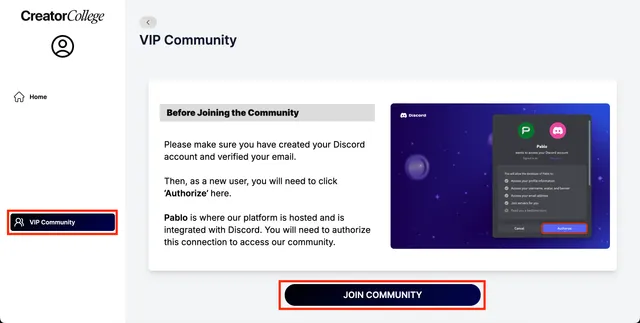
7. Once the Discord page opens, click ‘Authorize’
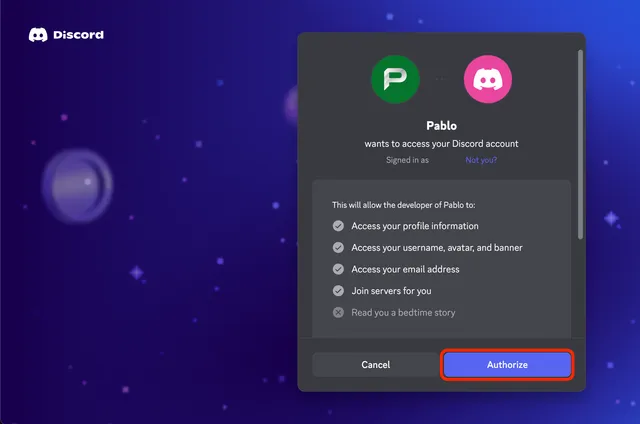
8. You’re in!
Note: If you already have a discord account - do not create a new one.
Directly go to https://content.creatorcollege.com → Click Community
2) Does my Discord email need to match my VIP email?
No. Your Discord and Creator College accounts can use different email addresses.
3) I’m not receiving Discord’s verification email. What can I do?
Try the following:
- Check your spam and promotions folders.
- Use the Discord app.
- Turn off your VPN.
- Try another email address.
- Contact Discord Support.
Then return to the Creator College platform and select the community button again.
4)My Discord channels are blank or missing. I don’t see Main Channels / Group Channels
What should I do?
Make sure you are signed in to the correct Discord account. Return to the Creator College platform and select VIP Community again.
If some channels remain hidden, select the Creator College server name and enable Show All Channels.
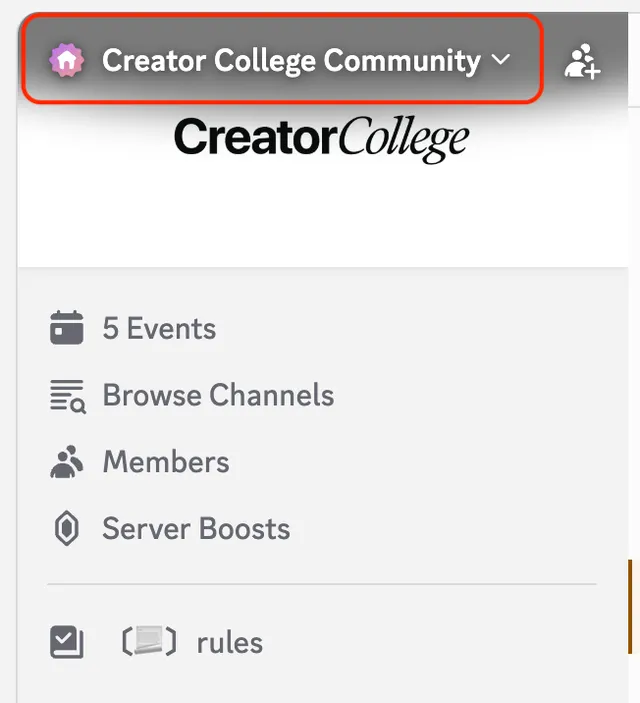
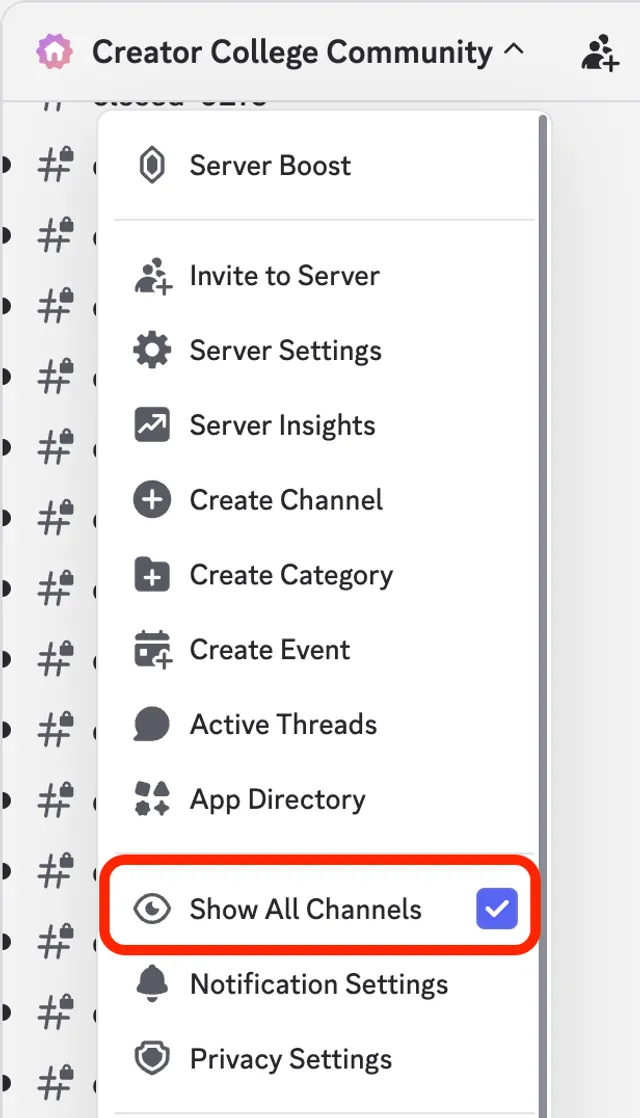
5) Can you send me a direct Discord invitation link?
No. You must join through the community button on the Creator College platform so that the correct VIP permissions can be added to your account.
6) Why can’t I send a message?
Some channels are read-only.
If you are posting in an active channel, shorten your message, remove unnecessary links or send it in two or three parts.